
I designed and built a personal project management system that classifies incoming freelance emails, groups related conversations, and turns them into a live project log with no manual entry.
Freelance work doesn't arrive in a project tracker. It arrives in email, scattered across dozens of threads with the two contacts I work with most at the same agency, each one a mix of new asks, status updates, and back-and-forth on files. There was no single place to see what was active, what had already shipped, or what a given thread had actually asked for six replies ago. The inbox was the system of record, and it was a bad one.
I built Freelancer to fix that without adding a second place to do data entry. It watches the inbox itself, uses AI to read and classify each message, and turns dozens of emails into a running, filterable project log automatically. My job was the whole thing end to end: the intake logic, the data structure, and the dashboard that makes it usable at a glance.
Every project already lived in the inbox. It just needed a structure.
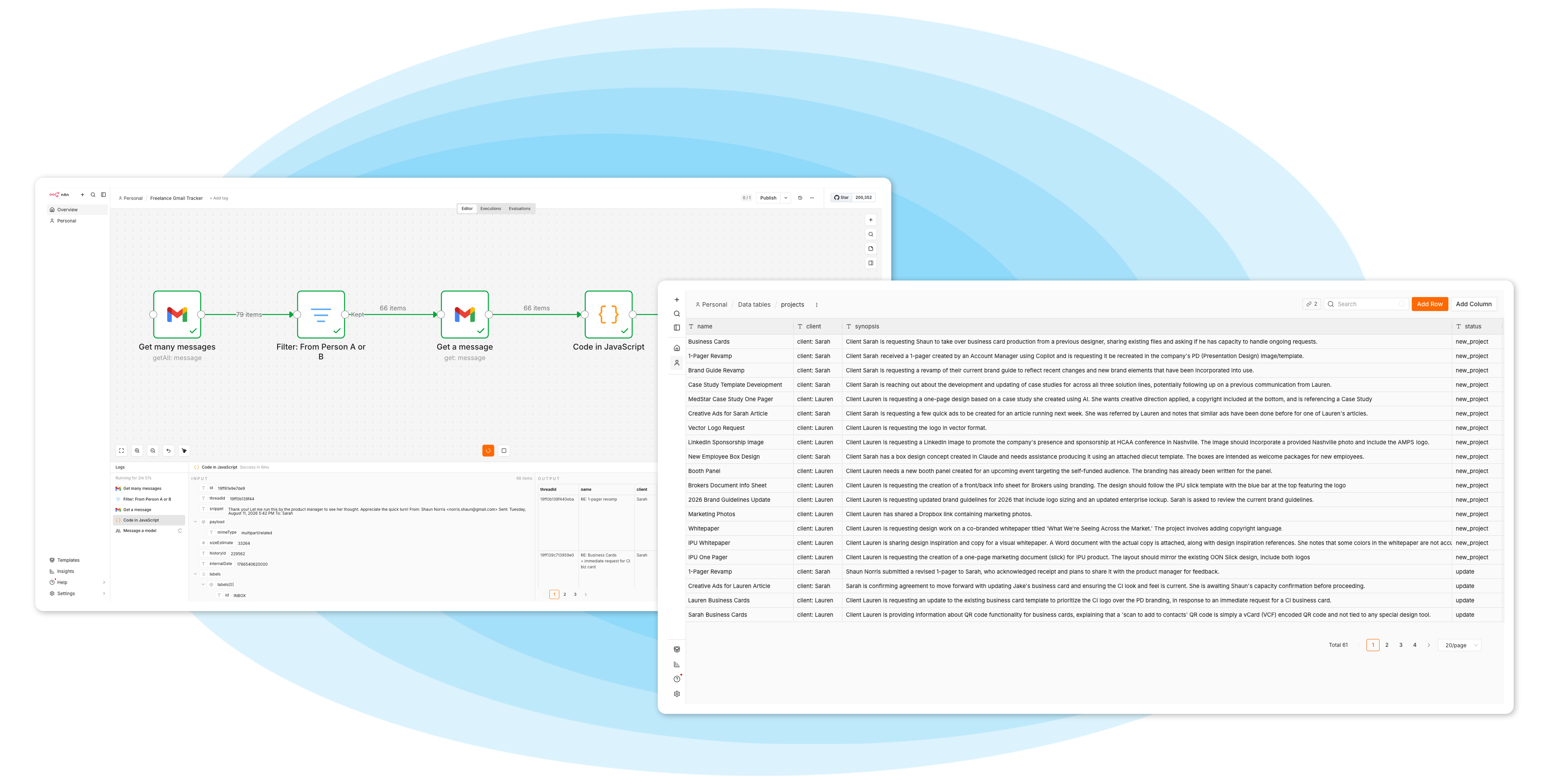
The workflow pulls messages from the two people I work with most, filters out everything else, and hands each one to an AI classification step. That step decides whether a message is a brand-new ask or an update to something already in motion, then pulls out the project name, the client, a plain-language synopsis, and a status. No manual logging, no end-of-week catch-up. The classification happens the moment the email lands.
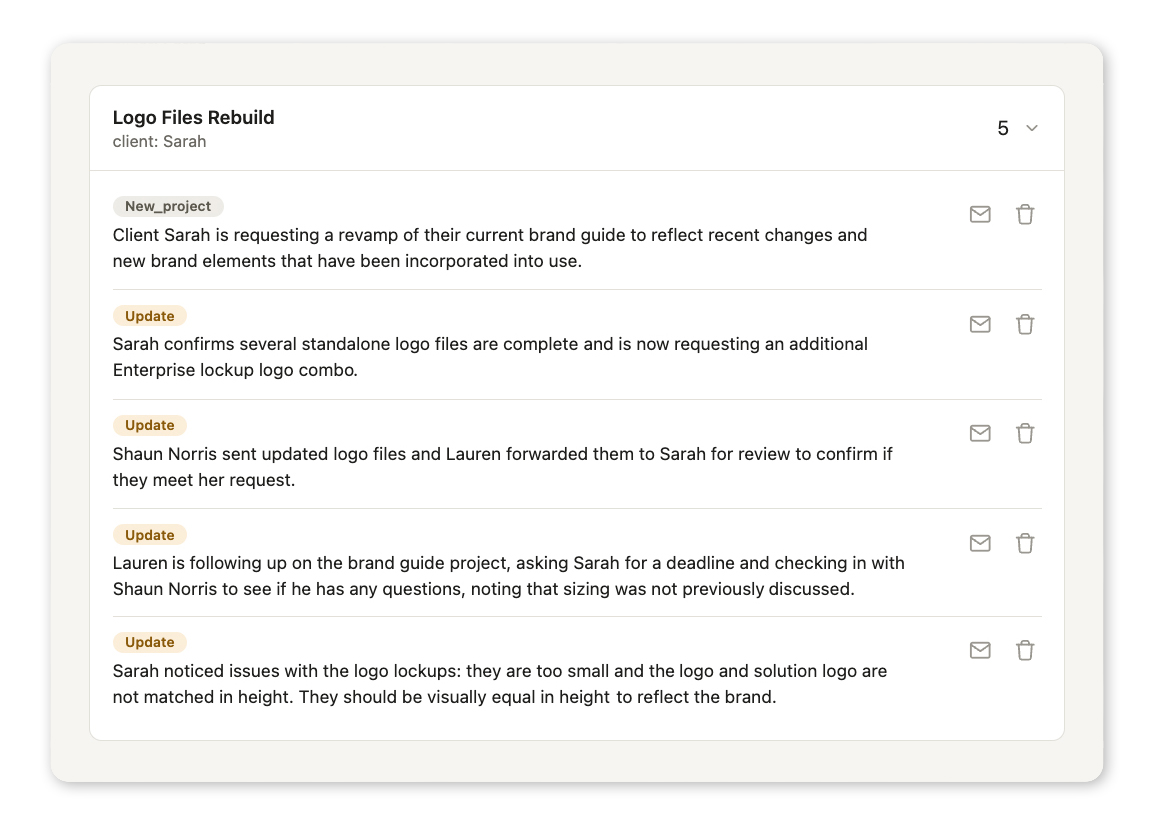
The harder problem wasn't reading the emails, it was not losing the thread. A single project might generate a new-project entry and several update entries over a few weeks. Splitting those into flat rows would have just moved the mess from the inbox to a spreadsheet. Instead, every entry keeps its Gmail thread ID, so the dashboard can group related messages back into one project card, in order, newest activity first.
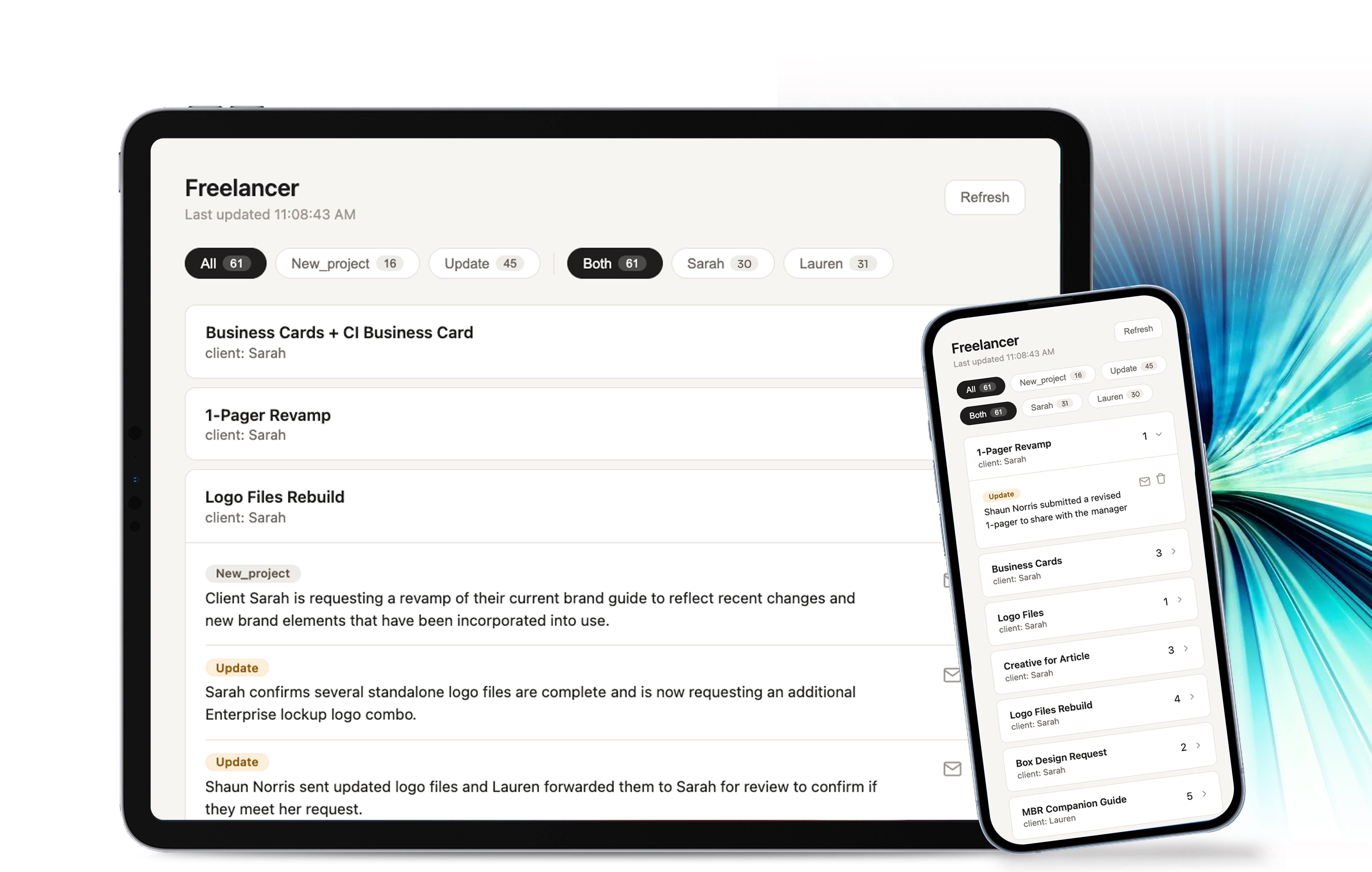
The dashboard groups everything into collapsible project cards: a title, a client, and a most-recent-activity date up front, with the full history of updates one click away. Each update inside a card keeps its own status, date, and synopsis, plus a direct link back into the original Gmail thread.
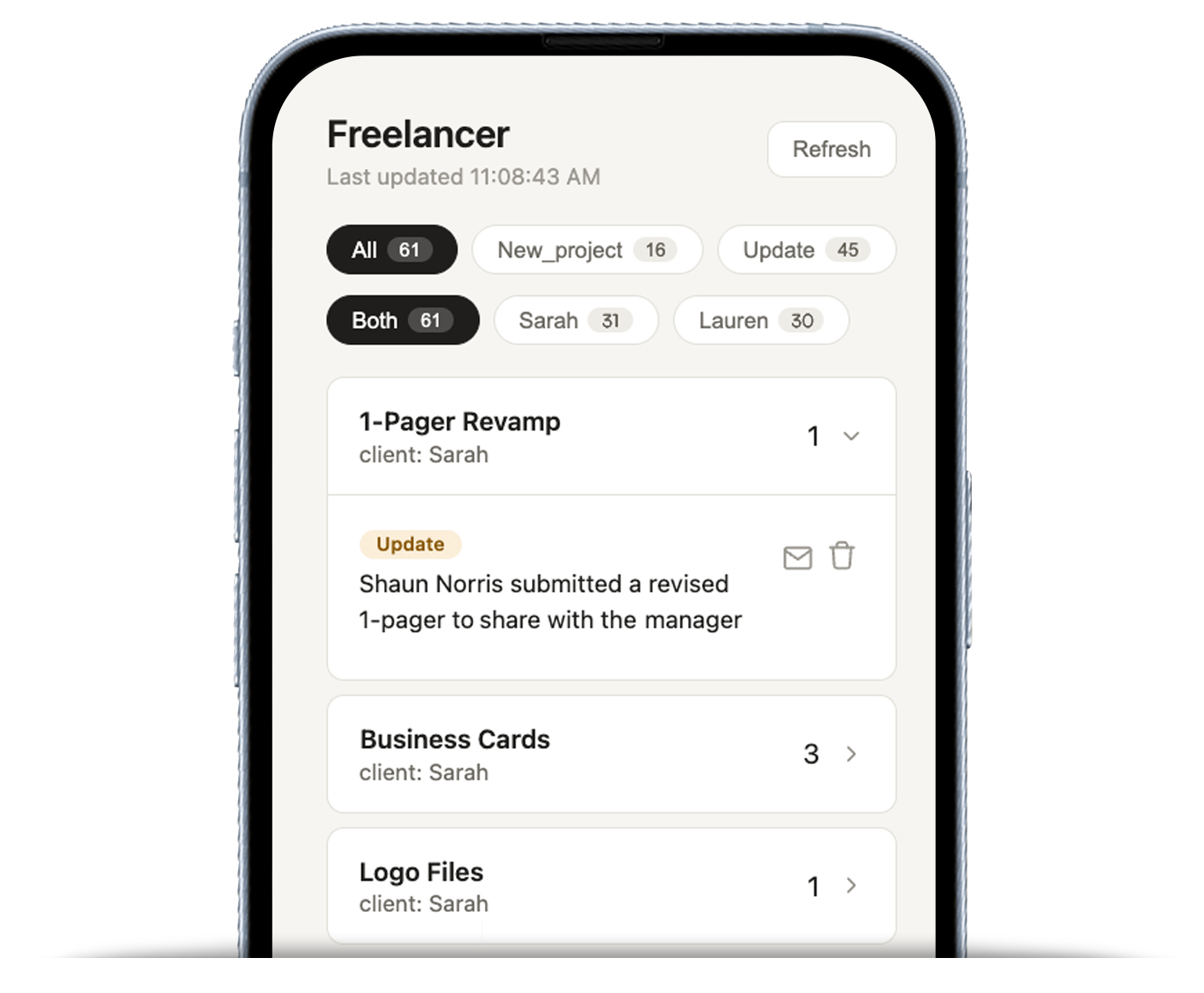
On a larger screen, the dashboard can show more project history at once. On smaller screens, the cards stack without changing the information or the way projects are grouped. I can use the same view whether I am checking something at my desk or from my phone.
The result is a live project log that updates itself from email with no manual entry. I can see what is active, what changed, and the full history of a project without digging back through the inbox.